Hi, I’m Abu Hasan Lavlu a Digital MarketerSEO Expert
A professional Digital Marketer, SEO Specialist, and Co-Founder of Digital Crop. With over 8 years of experience, I’ve helped businesses thrive in the digital world by increase their online presence. My expertise spans SEO, Social Media Management, Social Media Marketing, Paid Advertising, and Content Marketing.
I have expertise in Digital Marketing, Meta Advertising, Social Media Management, Google & YouTube Advertising, Reddit Marketing, and Marketing Consultancy. Whether you want to organically grow your search rankings, engage your audience, or drive targeted traffic, I’m here to help your business grow and succeed.
Make your brand a topic of conversation on Reddit – connect with niche communities and drive genuine interest and traffic to your site, creating real engagement.
Take your marketing next level with expert-crafted strategies and implementation plans, carefully designed to align with business goals and online presence.
Experience
My Experience
Digital Marketing Specialist & Marketing Consultant
Digital Crop | October 2020 – Present
Bogura, Bangladesh
I co-founded Digital Crop, where I design business strategies, set performance goals, and oversee daily operations. I manage partner relationships and lead teams across marketing, sales, and IT to drive growth and meet company objectives.
Digital Marketing Manager
GoCareers | January 2021 – May 2023
South Africa
I developed digital marketing strategies to increase brand awareness, web traffic, and leads. I optimized SEO, SEM, and social media campaigns while analyzing data to improve ROI. Collaboration with cross-functional teams was key to our success.
ITS Engineer
Hyundai Engineering & Construction Co., Ltd. | March 2018 – October 2020
Qatar
I contributed to major infrastructure projects like the Lusail Expressway, deploying ITS technologies for traffic management. My work involved integrating advanced systems like adaptive signals and traffic sensors to improve safety and reduce congestion.
As Digital Marketing Manager at GoCareers, Abu Hasan spearheaded a comprehensive digital strategy to enhance brand awareness, drive user engagement, and increase lead generation for the South African market. By implementing a robust SEO plan, optimizing SEM campaigns, and leveraging targeted content marketing, he significantly improved website traffic and user experience, helping to establish GoCareers as a trusted platform for career resources. Collaborating with cross-functional teams, he also worked to optimize user interfaces and streamline conversion paths, ultimately positioning GoCareers for growth in a competitive landscape. This effort reinforced GoCareers’ reputation as a leading career portal in South Africa, helping job seekers connect with career opportunities nationwide
I collaborated with Santa Ynez Wine Tours to expand their reach and visibility in a competitive travel niche. By optimizing SEO, I enhanced their search rankings, increased organic traffic, and ensured their website stood out to potential tourists. Through targeted social media strategies, I built engagement across platforms, sharing compelling content that highlighted the unique experiences of the Santa Ynez wine region. This combination of SEO and social media marketing fostered a robust online presence, attracting new clientele and driving booking inquiries for unforgettable wine tours.
I partnered with All Bursaries to increase their visibility among students seeking financial aid opportunities. Through strategic SEO improvements, I boosted the site’s rankings for high-traffic keywords, making it easier for students to discover relevant bursary information. My targeted social media campaigns effectively engaged a broader audience, spreading awareness about scholarship opportunities and resources. This integrated SEO and social media approach expanded All Bursaries’ online reach and connected more students with essential educational funding options.
I collaborated with Money Today to enhance their search engine rankings and attract a wider audience in the financial news sector. By implementing advanced SEO strategies, including keyword optimization, content structuring, and backlink building, I helped position the site prominently for relevant finance-related queries. This optimization has improved the site’s organic reach, increased readership, and provided users with timely financial news and insights, fostering Money Today’s growth as a trusted resource in South Africa’s financial industry.
I partnered with The Labrador Family to elevate their online presence through tailored SEO and Social Media Marketing. By refining keyword strategies, optimizing content, and securing backlinks, I increased their visibility for pet-related searches. Simultaneously, I developed engaging social media campaigns to build a loyal community of Labrador enthusiasts. This combined approach enhanced the site’s organic reach, boosted engagement rates on social platforms, and solidified The Labrador Family’s position as a go-to resource for Labrador lovers worldwide.
For Projuktir Vasha, I created a comprehensive content plan tailored to enhance their reach in the Bengali tech community. My approach included identifying trending topics, organizing a publishing calendar, and optimizing content for search engine visibility. This strategy helped streamline content flow, improved audience engagement, and increased website traffic, positioning Projuktir Vasha as a reliable source for Bengali technology insights and updates.
What Clients Say
Testimonial
Sarah M.
Working with this team has been a game-changer for our business. Their attention to detail and commitment to our success are truly unmatched!
James L.
I can’t recommend them enough! They took the time to understand our needs and delivered results that exceeded our expectations.
Emily R.
Professional, knowledgeable, and incredibly supportive throughout the process. I felt valued as a client and the results speak for themselves!
Michael T.
Their innovative approach and strategic insights have helped us grow in ways we never thought possible. A fantastic partner to have!
Linda S.
From start to finish, the experience was seamless. The team was responsive and proactive, making the entire process a pleasure.
David H.
I’ve worked with several agencies, but none have been as dedicated and results-driven as this one. Highly recommend their services!
Rachel K.
"They truly listen to their clients and tailor their solutions accordingly. I felt heard and supported every step of the way.
Chris W.
"An outstanding team that goes above and beyond. Their expertise and friendly approach made our project a success!
Jessica F.
They delivered on time and on budget, which is rare in this industry. I’m thrilled with the outcome and will definitely return!
Brian P.
Their creativity and passion for what they do shine through in every aspect of their work. I couldn’t be happier with the results!
Nina P.
Working with Abu Hassan Lavlu was a pleasure. He is responsive, reliable, and truly cares about his clients' success!
Tom H.
Abu brought a fresh perspective to our project. His creative approach and expertise made a significant difference!
Lisa W.
I appreciated Abu's ability to listen and understand our goals. He delivered exactly what we needed, on time and on budget!
Raj A.
Abu is a fantastic collaborator. His positive attitude and professionalism made every meeting enjoyable and productive!
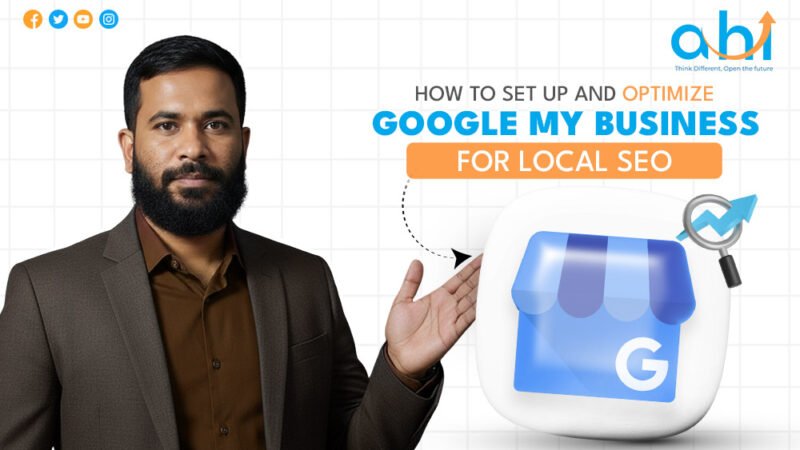
How to Set Up and Optimize Google My Business for Local SEO
In the high-stakes world of local commerce, your digital storefront is often more important than your physical one. I’ve seen countless business owners pour thousands of dollars into Facebook ads, only to lose potential customers because their Google listing had the wrong phone number or zero recent photos.
In 2026, google business profile optimization is no longer a “nice-to-have” task; it is the cornerstone of your digital presence. With the rise of Google SGE (Search Generative Experience) and AI-driven answer engines like Gemini, the way customers find you has fundamentally changed. Google now scans your profile to understand if you are the best entity to solve a user’s problem. If your profile is stagnant, you aren’t just losing rank, you’re becoming invisible. This guide leverages real-world data and proven strategies to ensure your business dominates local search results.
What is google business profile optimization and why is it vital for 2026?
Google Business Profile optimization is the strategic process of enhancing your local business listing to increase visibility in Google Maps ranking and local search results. In 2026, it involves providing precise data, high-quality visual content, and maintaining high engagement to satisfy Google’s AI-driven ranking signals and Search Generative Experience requirements.
Relevance: How well your profile matches what someone is searching for.
Distance: How far your business is from the searcher.
Prominence: How well-known your business is (based on reviews, links, and articles).
While you can’t control distance, you have total control over relevance and prominence through local seo optimization.
How to Google my business setup correctly from scratch?
To perform a google my business setup, you must claim your business via the Google Business Profile manager, provide accurate NAP consistency (Name, Address, Phone), and complete the verification process often through video or phone. Ensuring your primary category is 100% accurate is the most critical step for Google Maps ranking.
From practical use in 2026, the verification process has become stricter to prevent spam. Here is the modern workflow:
Claim the Entity: Go togoogle.com/business. Search for your business name to ensure a duplicate doesn’t exist.
The Video Verification Pivot: Most businesses now require a “Video Verification.” You must record a continuous video showing your street sign, your business interior, and proof of management (like opening the door with a key or showing a utility bill).
Primary Category Selection: According to Whitespark’s ranking factor study, this is your #1 ranking signal. Be specific. If you are a “Pizza Restaurant,” don’t just choose “Restaurant.”
Best way to optimize Google My Business listing for maximum customer engagement and visibility.
Best way to optimize google my business listing for maximum engagement?
Setting up the profile is just the beginning. To truly optimize google my business listing, you need to treat it like a living social media feed.
High-Resolution Visual Signals
In real projects, I’ve found that profiles with more than 100 photos receive 520% more directions requests than those with fewer.
Exterior Shots: Help customers recognize your building.
Interior Shots: Show the “vibe” of your business.
Product/Service Photos: Show exactly what the customer is buying.
Team Photos: Builds the “Trustworthiness” part of EEAT.
The 750-Character Description
Write your description for humans, but optimize it for AI. Mention your core services and your city name naturally.
Wrong: “We are a plumber. Best plumber. Call us for plumbing.”
Right: “Providing emergency plumbing repairs in [City Name] since 2010, our certified team specializes in water heater installation and drain cleaning.”
How does NAP consistency affect your Google Maps ranking?
NAP consistency refers to the uniformity of your business Name, Address, and Phone number across all web directories. Inconsistent data confuses Google’s algorithm and lowers your Google Maps ranking because it diminishes the trustworthiness of your brand identity in local search results.
If your business is listed as “Main St. Pizza” on Google but “Main Street Pizza” on Yelp, Google’s “Entity” confidence drops.
Audit Your Citations: Use tools like Moz Local or BrightLocal to find and fix inconsistent listings on Bing, Apple Maps, and local industry directories.
Avoid Tracking Numbers: Never use a different phone number on your Google Profile than what is on your website unless you use specialized DNI (Dynamic Number Insertion) that Google can track. Consistency is the bedrock of local seo optimization.
Why is customer reviews optimization the top ranking factor in 2026?
Google’s SGE now summarizes reviews to answer user questions. If a user asks, “Which Italian restaurant has the best gluten-free pasta?”, Google looks through your reviews for those specific keywords.
How to Optimize Reviews:
Ask for Specifics: Instead of “Leave us a review,” ask “Could you mention which service we provided?”
The Response Rule: You must respond to 100% of your reviews. According to BrightLocal, businesses that respond to reviews are perceived as 1.7x more trustworthy.
Keyword Inclusion in Replies: While you shouldn’t spam, replying with: “Thanks for the feedback on our AC repair service in Houston!” helps reinforce your niche.
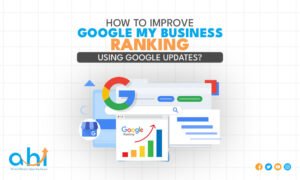
How to improve Google My Business ranking using regular Google updates and fresh content strategy.
How to improve google my business ranking using Google Updates?
You can improve google my business ranking by regularly publishing “What’s New” posts, offers, and events. These updates signal “freshness” to Google’s algorithm, increasing your relevance for local search results. Including a clear Call-to-Action (CTA) in every post significantly boosts your profile’s conversion rate.
The Strategy for 2026:
Google “What’s New” posts expire (become less prominent) after six months, but for maximum google my business seo tips effectiveness, you should post at least once a week.
Offers: Use the “Offer” post type for discounts. These often show up as “Snippets” in the Map Pack.
Events: If you’re hosting a local workshop, use the “Event” post to appear in “Events near me” searches.
Checklist: The Ultimate Google Business Profile Optimization Audit
Optimization Step
Frequency
Ranking Impact
Action
NAP Consistency Check
Monthly
Very High
Match website to all directories
Review Responses
Within 24hr
High (Trust)
Respond to both 5 and 1-star
Photo Uploads
Weekly
Medium
Upload at least 3-5 new shots
Google Posts
Weekly
High
Share a “What’s New” update
Q&A Monitoring
Monthly
High (AEO)
Answer customer questions
Why is the “Questions & Answers” section critical for AEO?
The Q&A section is often the most neglected part of google business profile optimization. However, it is a goldmine for Answer Engine Optimization.
Proactive Q&A: You are allowed to ask your own questions. I recommend posting the top 5 questions your receptionist gets every day and answering them yourself.
Keyword Richness: Do you offer 24-hour emergency lockouts? Yes, our 24-hour locksmith service is available every day of the week.
Monitor for Misinformation: Anyone can answer questions on your profile. If a random user gives a wrong answer, you must flag it or provide the correct owner-verified answer immediately.
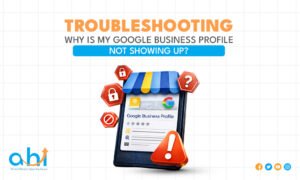
Troubleshooting guide for fixing Google Business Profile visibility and ranking issues.
Troubleshooting: Why is my Google Business Profile not showing up?
If you’ve followed the google business profile optimization steps but still aren’t ranking, consider these “Invisible” factors:
Suspension: Usually caused by a recent address change or a name that looks like keyword stuffing.
The “Ghost” Listing: You might have a duplicate listing that is splitting your “Review Equity.”
Searcher Location: Google’s local algorithm is highly sensitive to the searcher’s physical location. If you are 10 miles away from your store, you might not see yourself in the “Local 3-Pack.”
Conclusion
Mastering google business profile optimization is about consistency and engagement. In 2026, Google wants to see that your business is active, verified, and loved by the community. By maintaining NAP consistency, generating keyword-rich reviews, and utilizing every feature from Google Posts to Q&A, you aren’t just ranking, you’re building a brand that AI search engines will trust.
Expert Tip: Download the Google Maps app on your phone and enable notifications for your business. Being the first to respond to a customer message or a new review can be the “tie-breaker” that puts you above your competitor in local search results.
FAQs Section
How do I rank higher on Google Maps quickly?
To rank higher on Google Maps, ensure your NAP consistency is perfect, gain 5-star reviews consistently, and respond to every user interaction. High-quality, geo-tagged photos and a verified physical address are the fastest ways to improve your local search results position within 30 days.
Can I hide my address during google my business setup?
Yes, during your google my business setup, you can choose to hide your address if you are a “Service Area Business” (SAB). This is ideal for businesses like plumbers or cleaners who visit clients, helping you appear in local search results without showing a home office.
How often should I optimize google my business listing?
You should optimize google my business listing weekly by posting updates and photos. However, a full audit of your information and NAP consistency should be conducted at least once a month to ensure your profile remains authoritative in the eyes of Google’s algorithm.
Does responding to reviews help local seo optimization?
Absolutely. Responding to reviews is a key part of local seo optimization because it increases engagement signals. Google rewards active businesses that interact with customers, which directly helps improve google my business ranking by proving your business is operational and reliable.
Why did my Google Business Profile get suspended?
Suspensions often happen due to NAP consistency issues, using a P.O. Box instead of a physical address, or “keyword stuffing” in your business name. To fix this, ensure your profile matches your legal documents and follow google business profile optimization guidelines strictly.
Imagine spending months perfecting your product, hiring the best designers for your website, and crafting high-quality content, only to find that your traffic is as stagnant as a ghost town. You check your rankings daily, but your site is nowhere to be found on the first page of Google. This is a common and painful reality for many business owners. In 2026, the digital landscape has shifted; search engines are no longer just looking for keywords; they are looking for technical perfection, user experience, and “AI-readiness.”
The truth is, even the most beautiful website can have “invisible” leaks. From broken crawl paths to outdated schema markups, these technical debts act like an anchor, dragging down your rankings. As a senior SEO strategist, I have seen brands recover 30% of their organic traffic in weeks simply by performing a comprehensive website seo audit. This isn’t just about “fixing errors”; it’s about aligning your site with how modern search engines and AI models perceive value.
What is website audit in seo and how does it work?
A website audit in seo is a full-scale analysis of a site’s health, focusing on technical infrastructure, on-page optimization, and backlink authority. By performing a website seo audit, you identify barriers that prevent search engines like Google from crawling and indexing your pages. It provides a data-backed roadmap to improve rankings, user experience, and overall website seo analysis performance.
A website audit in seo works by using specialized crawlers to mimic how search engine bots view your site. From my experience in real-world projects, an audit reveals the gap between where your site is and where Google’s algorithms want it to be. It essentially audits three core areas:
Technical Health: Can the bots see and read your pages?
On-Page Quality: Is your content structured for both humans and AI?
Off-Page Authority: Does your backlink profile build or destroy trust?
Why is the importance of seo audit for websites higher in 2026?
The importance of seo audit for websites in 2026 is critical due to the rise of Google SGE (Search Generative Experience). AI-driven search requires perfect technical signals, such as validated Schema Markup and fast Core Web Vitals, to cite your content. Without a regular website seo analysis, your site risks being “invisible” to generative AI models that prioritize high-trust, error-free technical structures.
In the current era, search engines have become “Answer Engines.” If your site has a messy internal linking structure or slow loading times, an AI agent might skip your site entirely in favor of a competitor who is technically “cleaner.”
From practical use, I’ve observed that the importance of seo audit for website management has shifted toward Predictive Maintenance. You don’t wait for a ranking drop to audit; you audit to prevent the drop. Google’s 2026 core updates place a massive weight on Information Gain and Technical Efficiency. If your site is bloated with duplicate content or “zombie pages,” your crawl budget is wasted, and your authority is diluted.
A website seo audit helps identify growth leaks and improves business ROI.
Key benefits of seo audit for small business and enterprise
Whether you are running a local bakery or a global SaaS platform, the benefits of seo audit are transformative. For small businesses, an audit is often the difference between being found by local customers or disappearing into page five.
SEO audit for small business website
For smaller sites, the focus is often on “Quick Wins.” During a typical seo audit for a small business website, we often find that simple fixes like optimizing Google Business Profile attributes or fixing mobile-usability errors can lead to an immediate spike in local “Near Me” searches.
Enterprise-Level Gains
For larger organizations, a seo site audit is about managing complexity. In real projects involving thousands of URLs, I’ve seen enterprise sites suffer from “Keyword Cannibalization,” where multiple pages compete for the same term. An audit identifies these overlaps, allowing you to consolidate authority and dominate high-competition keywords.
Main Benefits Include:
Maximizing ROI: Stop spending on content that won’t rank because of technical blocks.
Competitive Edge: See exactly where your competitors are failing so you can fill the gap.
User Retention: Fixing slow pages discovered during a website seo analysis keeps users on your site longer, reducing bounce rates.
How to perform a website seo audit: A 5-step framework
Performing an audit might seem daunting, but it follows a logical flow. Based on industry standards from Google Search Central and Ahrefs, here is the framework I use:
Step 1: Benchmarking & Performance Review
Before diving into code, look at your current data. Use Google Search Console to see which keywords are losing impressions. This website seo analysis sets the baseline.
Step 2: Crawlability and Indexing
If Google can’t crawl you, Google can’t rank you. Check your Robots.txt and XML Sitemap. In 2026, ensure your sitemap only includes “Canonical” URLs—pages you actually want to rank.
Step 3: Technical Health (The Engine)
Analyze your Core Web Vitals. Google has been transparent that speed and stability are ranking factors. Use tools to check your Largest Contentful Paint (LCP) and Interaction to Next Paint (INP).
Step 4: Content & On-Page Optimization
Check for “Thin Content” and missing Meta Tags. Are your H1s and H2s entity-rich? Does your content answer the “People Also Ask” questions related to your niche?
Step 5: Backlink and Authority Audit
Analyze your backlink profile. A professional seo site audit will look for toxic links that might trigger a manual penalty. Quality over quantity is the rule of the 2026 web.
Use a technical seo audit for backend health and a content audit for information quality.
What is a technical audit for seo website vs. a content audit?
A technical audit for seo website evaluates the backend infrastructure (site speed, mobile-indexing, and security), while a content audit assesses the relevance and quality of the frontend information. Both are required for a successful website seo audit, ensuring that search bots can access the site and humans find the content valuable.
Think of it like a car:
Technical Audit: Checking the engine, tires, and fuel system. (How the site runs).
Content Audit: Checking the paint, interior, and GPS. (What the user experiences).
In a high-stakes technical seo audit, we focus on things like “Redirect Chains” (301s leading to 301s), which frustrate both users and bots. In contrast, a content audit focuses on Topic Clusters ensuring that you are building authority around a subject, not just a single keyword.
The Ultimate website technical seo audit checklist
When you are deep in a how to perform a website seo audit session, use this checklist to ensure no stone is left unturned:
HTTPS Security: Ensure all pages are served over a secure connection. Mixed content (HTTP images on an HTTPS page) is a major trust-killer.
XML Sitemap & Robots.txt: Ensure these are updated and submitted to Google Search Console.
Mobile-First Readiness: Test your site on a variety of mobile devices. Google uses the mobile version for ranking, if your mobile site is missing content found on desktop, you will lose rankings.
Site Speed (Core Web Vitals): * LCP (Loading) < 2.5s
INP (Responsiveness) < 200ms
CLS (Visual Stability) < 0.1
Broken Links (404 Errors): Use a crawler to find and fix dead links.
Schema Markup: Validate your JSON-LD structured data. This is the “language of AI” in 2026.
Crawl Depth: Ensure no important page is more than 3 clicks away from the homepage.
How to audit a website for seo using free and paid tools?
While many search for a website seo audit free solution, it is important to understand the tools of the trade.
Free Tools (The Foundations)
Google Search Console: The ultimate source of truth for indexing and manual penalties.
PageSpeed Insights: The gold standard for measuring technical performance.
Google Analytics 4: For analyzing user behavior and traffic drops.
Paid Tools (The Deep Dives)
Professional tools like Ahrefs, Semrush, or Screaming Frog allow for a much deeper website seo analysis. They can find “Orphan Pages” (pages with no internal links) and analyze your competitor’s backlink profiles.
Expert Tip: A free website seo audit is great for a quick health check, but for a commercial-grade technical seo audit, you need the granularity that only paid crawlers and expert manual review can provide. Automations can tell you what is wrong, but a strategist tells you why it happened and how to fix it without breaking other parts of your site.
Data-driven website seo analysis is the best starting point for a successful audit.
Best way to start: How to do an seo audit of your website today
If you want to know how to audit a website for seo without getting overwhelmed, start with your most important pages.
Identify Top Pages: Use your analytics to find the pages that bring in 80% of your revenue.
Run a Technical Scan: Use a tool to find immediate errors (404s, slow speeds).
Check Search Appearance: Search for your site on Google. Does the meta description look professional? Is the title compelling?
Verify Schema: Use Google’s Rich Results Test to ensure your “Product” or “Article” schema is valid.
By following this how to do an seo audit of your website approach, you prioritize the work that actually moves the needle for your business.
FAQs
How long does a website seo audit take?
A professional website seo audit typically takes between 1 to 2 weeks for a standard business site. This timeframe includes automated crawling, manual analysis of technical seo audit data, and the creation of an actionable implementation roadmap. For massive enterprise sites, an audit can take up to a month.
Why is my website seo audit free score high but I have no traffic?
Automated website seo audit free tools often only check for “surface-level” errors like missing alt-text. They cannot measure content relevance, user intent, or the quality of your backlink profile. A high “score” doesn’t account for Keyword Cannibalization or lack of Information Gain, which are critical for ranking.
What are the common errors found in a technical seo audit?
Common errors include slow Core Web Vitals, “Crawl Budget” waste, broken internal links (404s), and missing or malformed Schema Markup. A technical seo audit also frequently identifies “Redirect Loops” and mobile-responsiveness issues that negatively impact both bots and users.
Is a manual seo audit better than an automated one?
Yes, a manual audit is superior because it provides context. While automated tools find “what” is wrong, a manual website seo analysis explains “how” to fix it based on your business goals. Human experts can evaluate EEAT and content quality in ways that current automated crawlers cannot.
How much should a professional website seo audit cost in 2026?
In 2026, a high-quality website seo audit for a small to medium business typically ranges from $500 to $2,500. Enterprise-level audits for sites with thousands of pages can exceed $5,000 to $10,000, depending on the depth of the technical seo audit and the expertise of the strategist involved.
Conclusion
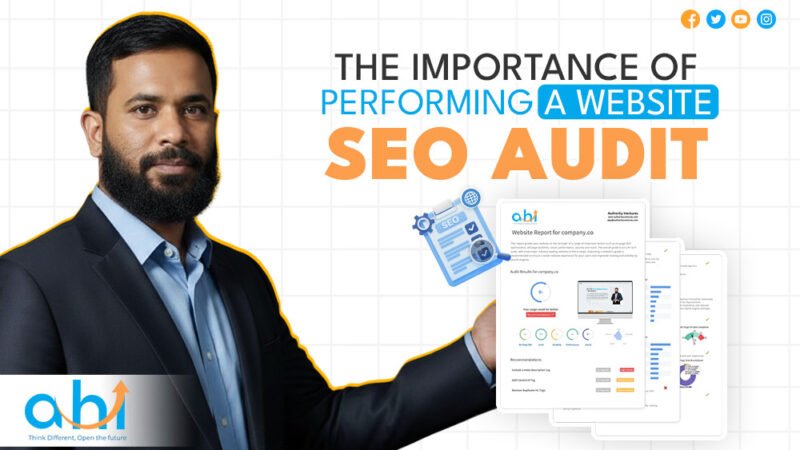
The Importance of Performing a Website SEO Audit cannot be overstated in an era where AI and human-centric search coexist. An audit isn’t a one-time chore; it is the “Insurance Policy” for your digital marketing budget. It ensures that when you invest in content and backlinks, you are building on a foundation of solid rock, not shifting sand.
Whether you utilize a website seo audit free tool or hire a professional strategist, the goal remains the same: total visibility and a frictionless user experience. Stop guessing why your traffic is low, audit your site and find the answers.
Expert Professional Recommendation: Perform a technical seo audit at least once per quarter. The web changes fast, and staying proactive is the only way to maintain a dominant position in the search results.
Need a professional eye on your site? Abu Hasan Lavlu and the DigitalCrop team specialize in deep-dive website seo analysis that uncovers hidden growth opportunities. Let us help you turn your website into a high-performance sales machine. Contact us today for a consultation!
How to Choose the Best Paid Advertising Platforms for High ROI in 2026
Imagine spending $1,000 on a “Boost Post” campaign, only to receive 200 likes and zero phone calls. This is the “Money Pit” reality for many business owners today. In 2026, navigating the various paid advertising platforms has shifted from simple keyword bidding to a complex ecosystem of performance marketing driven by Agentic AI and predictive analytics. The old “set it and forget it” strategy is dead; success now requires matching your business “Entity” with specific user intent across different paid advertising platforms and media channels.
Whether you are a startup founder or a B2B decision-maker, choosing where to spend your first dollar is no longer about which platform is the biggest, it is about which one is the smartest. From my experience managing multi-channel campaigns, I have seen that the brands that win in 2026 are those that supply AI-powered search campaigns with high-quality, human-centric assets rather than just throwing high budgets at random paid advertising platforms.
What is the most effective paid advertising platform for small businesses today?
The most effective paid advertising platforms for small businesses are Google Ads for capturing high-intent shoppers and Meta Ads (Facebook/Instagram) for visual discovery and brand building. In 2026, the “hybrid approach” is king, using Google for immediate conversions and Meta for long-term nurturing while TikTok remains the most cost-efficient for reaching younger demographics with high engagement.
The Intent vs. Discovery Framework
In 2026, small businesses must distinguish between Intent-based (Pull) and Discovery-based (Push) marketing.
Google Ads (Intent): Users are actively searching for a solution (e.g., “plumber near me”). This yields higher conversion rates but comes with a higher Cost Per Click (CPC).
Meta/TikTok (Discovery): Users are scrolling for entertainment. Your ad must “disrupt” their flow with a compelling offer or visual.
Budget Accessibility and AI Optimization
According to 2026 benchmarks, AI has transitioned to the core infrastructure of advertising.
Predictive Bidding: Platforms now use “Agentic AI” to autonomously adjust bids in real-time.
Minimum Budgets: While you can start with $10/day, a monthly budget of $500–$1,500 is recommended to give the platform’s machine learning enough data to optimize.
Deciding between Google Ads and Facebook Ads depends on whether your goal is immediate sales or long-term brand discovery.
Google Ads vs Facebook Ads: Which one should you prioritize?
Choosing between Google Ads vs Facebook Ads depends on your immediate goal: prioritize Google Ads if you need bottom-funnel sales from people actively seeking your product. Prioritize Facebook Ads if you need to build brand awareness, target specific demographics, or utilize low-cost retargeting to stay top-of-mind with previous website visitors.
ROI Comparison (2026 Industry Benchmarks)
Metric
Google Ads (Search)
Facebook Ads
Primary Goal
Direct Sales / Lead Gen
Awareness / Remarketing
Avg. CPC
$2.69 – $7.00+
$0.26 – $0.87
Avg. Conversion Rate
7.0% – 7.5%
8.8% – 9.2%
User Intent
High (Active Search)
Low (Passive Browsing)
Real-World Insight
In my experience, service-oriented sectors like healthcare and law see a much stronger ROI on Google despite the $6+ CPCs. However, e-commerce brands often find Facebook’s Cost Per Action (CPA) more sustainable because visual storytelling drives emotional purchases that search ads cannot.
Why is linkedin ads for b2b considered the “Gold Standard” despite high costs?
LinkedIn ads for B2B are the gold standard because they offer unrivaled precision targeting by job title, company size, and seniority. While the average CPC is higher (typically $5–$8), the lead quality is significantly superior, resulting in a 2x higher conversion rate for high-value enterprise deals compared to other social networks.
The 2026 Professional Context
LinkedIn has exceeded 1.3 billion global users, driving 80% of all B2B leads generated via social media.
Thought Leader Ads: A major 2026 trend is promoting the personal profiles of executives rather than company pages, which builds 33% higher purchase intent.
Native Lead Gen Forms: These forms eliminate friction, often converting 2-3x better than external landing pages because the user’s data is pre-filled from their profile.
How do you build an advertising strategy for small business success?
A successful advertising strategy for small business in 2026 involves a “Full-Funnel” approach: utilize Meta Ads for top-of-funnel awareness, Google Search to capture active buyers, and Email/CRM Retargeting to close the loop. Always prioritize target audience advertising based on first-party data rather than broad demographic filters. This is a core part of modern Digital Marketing.
The 3-Step Strategy for 2026
The Pilot Phase: Start with a narrow audience and a small daily budget (e.g., $15/day) to test which creative resonates.
Persona Blueprints: Move beyond simple age/gender. In 2026, use AI to build personas based on psychological drivers and decision-making patterns.
Omnichannel Integration: Don’t rely on one platform. Ensure your website, social media, and paid ads work together. As noted in industry research, 66% of marketers now use AI tools daily to maintain this cross-platform consistency.
Choosing between Instagram and TikTok ads requires balancing polished brand aesthetics with raw, viral creative energy.
Instagram vs TikTok Ads: Which visual platform wins in 2026?
The battle of Instagram vs TikTok ads is won by your creative style: Instagram is superior for polished, high-trust community building and Millennials (3 billion active users). TikTok wins for raw, “unpolished” viral content and Gen Z engagement, offering a CPM of $9.16 (vs. Meta’s $14.91) and engagement rates nearly 8x higher than Instagram.
Creative Velocity vs. Aesthetic
TikTok: Requires high “Creative Velocity” you need to refresh videos frequently. Authenticity is the primary currency; 43.8% of users convert into buyers when content feels native to the platform.
Instagram: Superpower is Stories and Reels for building niche, tight-knit followings. It remains the best platform for structured e-commerce shopping ecosystems.
How to master target audience advertising in a privacy-first world?
To master target audience advertising in 2026, you must pivot from third-party cookies to first-party CRM data. By uploading your own customer email lists to platforms, you can create AI-driven Lookalike Audiences that find new prospects who mirror your existing best customers, maintaining accuracy despite stricter data privacy regulations.
Checklist: 5 Questions to Ask Before Choosing a Platform
[ ] Is my customer searching for a solution (Google) or discovering new things (Facebook/TikTok)?
[ ] Is my product B2B professional (LinkedIn) or B2C visual (Instagram/TikTok)?
[ ] Do I have the capacity to create 3-5 new videos per week (TikTok)?
[ ] Is my website fast enough to handle mobile traffic (under 3 seconds)?
[ ] Am I tracking Cost Per Lead (CPL), not just clicks?
FAQs
How much should a small business spend on paid ads?
Most paid ads for small business campaigns should start with a budget of $500–$1,500 per month. This provides enough “signal” for the platform’s AI to optimize your campaign. Starting too low (e.g., $100/month) often results in insufficient data to determine what is actually working.
Which is cheaper, Google Ads or Facebook Ads?
In terms of raw Cost Per Click (CPC), Facebook Ads are significantly cheaper, often averaging $0.26–$0.87. However, Google Ads can be more cost-effective in the long run because the traffic has higher purchase intent, often leading to a lower Cost Per Acquisition (CPA) for high-ticket items.
Is LinkedIn advertising worth it for small B2B companies?
Yes, LinkedIn ads for B2B are worth it if your customer lifetime value (LTV) is high. Since B2B conversion rates on LinkedIn are 2x higher than other social networks, paying a premium for a decision-maker click is often more profitable than thousands of low-quality clicks elsewhere.
Does TikTok work for businesses over age 40?
Surprisingly, yes. By 2026, over 31% of TikTok users are over the age of 40. While Gen Z remains the largest group, the platform’s interest-based algorithm makes it a viable paid media channel for reaching older demographics who engage with niche hobbies or professional advice.
What is the biggest mistake in paid advertising today?
The biggest mistake is ignoring First-Party Data. Businesses that rely solely on a platform’s generic targeting without feeding their own CRM data into the algorithm will see rising costs. In 2026, your own customer list is your most powerful targeting tool.
Conclusion
Choosing the right paid advertising platforms in 2026 isn’t about following the crowd, it’s about following the data. Google Ads remains the king of intent, Meta dominates awareness and retargeting, and LinkedIn is the non-negotiable choice for B2B.
Expert Tip: In 2026, the algorithm is often smarter than your manual targeting. Trust the AI to find your audience, but never trust it with your creativity. Your unique human insight and storytelling are the only things that can stop a user from scrolling past your ad.
Stop Wasting Budget, Start Seeing ROI.
Are you tired of high ad spend with low returns? With over a decade of experience in performance marketing platforms, I help businesses identify the right paid advertising platforms to scale profitably. Let me help you cut through the noise and build a strategy that actually converts.