



In today’s competitive local market, Google My Business (GMB) optimization is a must for businesses wanting to improve their visibility and attract more customers. Local SEO is a game-changer for small businesses, and Google My Business plays a pivotal role in determining your ranking on Google Search and Google Maps.
What is Google My Business?
Google My Business is a free tool provided by Google that helps businesses manage their online presence across Google’s platforms, particularly in Google Search and Google Maps. It allows businesses to provide essential information like their location, hours of operation, and contact details. However, optimizing your GMB profile goes beyond just filling out basic details; it involves an ongoing strategy to maximize your chances of ranking higher in local search results.
Why Optimize Google My Business for Local SEO?
Optimizing your Google My Business listing can boost your visibility in local search results, especially in the local 3-pack, the prominent set of businesses that appear in a map section at the top of Google’s search results. Studies show that businesses appearing in this section get more clicks, more calls, and more in-store visits.
- Higher Ranking: A well-optimized GMB profile is a crucial ranking factor for Google My Business local SEO.
- Customer Trust: Reviews, business details, and Q&A sections help build trust with potential customers.
- Competitive Edge: Local SEO optimization allows small businesses to compete with larger competitors on a level playing field.
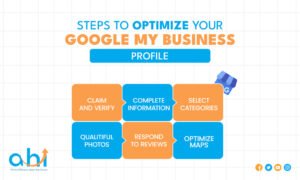
Steps to Optimize Your Google My Business Profile
1. Claim and Verify Your Google My Business Listing
Before you start optimizing, you need to claim and verify your business. This process ensures that you are the rightful owner of the listing and can edit all details.
Why Verification Matters: Verification confirms that your business is legitimate and helps Google trust that the information you provide is accurate. Without verification, your listing won’t be eligible for ranking in local search results.
2. Complete Your Business Information
Fill out every available field in your Google My Business profile. Accuracy is key here, as incomplete or inconsistent information can hurt your rankings.
- Business Name: Use the exact name of your business as it appears on your website and elsewhere online.
- Address: Ensure your business address is correct and consistent across all platforms.
- Phone Number: Use a local phone number (if possible) to enhance your trustworthiness in local searches.
- Business Hours: Make sure your hours are accurate and updated regularly.
3. Select the Right Categories
Choosing the correct business category is crucial for local search engine optimization. Categories determine which searches your business is eligible to appear for. Be specific for instance, if you run a pizza restaurant, choose “Pizza Restaurant” instead of just “Restaurant.”
4. Add High-Quality Photos and Videos
Images play a significant role in driving engagement on Google My Business. Listings with photos receive 42% more requests for directions and 35% more click-throughs to their websites.
- Cover Photo: This is the first thing customers will see. Make sure it represents your business well.
- Logo: Upload a clear logo that’s easily recognizable.
- Additional Photos: Add photos of your storefront, products, services, and team.
- Videos: If possible, include a video showcasing your products, services, or store ambiance.
5. Encourage and Respond to Reviews
Customer reviews are one of the most important Google My Business ranking factors. Positive reviews not only improve your ranking but also help build credibility.
- Ask for Reviews: Encourage satisfied customers to leave positive reviews.
- Respond to Reviews: Engage with your customers by thanking them for their feedback and addressing any concerns.
6. Optimize for Google Maps
Google Maps SEO plays a critical role in local search. When optimizing your Google My Business listing, ensure that your business is properly geotagged and appears on Google Maps. Having your GMB profile complete increases your chances of appearing in relevant searches on Maps.
Advanced Google My Business Optimization Strategies
1. Use Google Posts to Engage Customers
Google Posts are short updates you can add to your Google My Business profile, like promotions, events, and announcements. They help keep your listing fresh and engaging.
- Regularly Update Your Posts: Keep your audience engaged by posting weekly or bi-weekly updates.
2. Optimize for Keywords
Just like any other SEO strategy, using the right keywords in your Google My Business listing can boost your rankings. Use keywords that your customers are likely to search for and include them naturally in your business description, services, and posts.
3. Monitor Your Insights
Google My Business provides insights into how customers are finding your listing. Review these analytics to see which keywords are driving traffic, where your customers are located, and how they’re interacting with your profile. This data will help refine your strategy.
4. Utilize the Q&A Feature
The Q&A feature allows potential customers to ask questions directly on your listing. Proactively provide answers to frequently asked questions (FAQs) to enhance your profile’s helpfulness and authority.
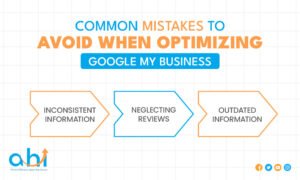
Common Mistakes to Avoid When Optimizing Google My Business
1. Inaccurate or Inconsistent Information
Ensure that your business information is consistent across all platforms, including your website and other online directories. Inconsistent data can confuse both users and Google.
2. Neglecting Reviews
Ignoring reviews or failing to respond to them can harm your credibility. Make sure to regularly engage with reviews, even the negative ones.
3. Not Keeping Information Updated
If your hours of operation or services change, make sure to update them on your Google My Business profile. An outdated profile can hurt your ranking and frustrate potential customers.
FAQs
How do I claim my Google My Business listing?
To claim your Google My Business listing, go to the Google My Business website, enter your business information, and follow the prompts to verify your ownership. Verification usually requires you to receive a postcard or phone call from Google.
What are the top Google My Business ranking factors?
The key ranking factors include relevance, distance, and prominence. Your business’s information must be accurate, relevant, and well-maintained to rank well in local search results.
How can I optimize my Google My Business for Google Maps SEO?
Ensure your business is accurately listed, geotagged, and optimized with relevant local keywords. Encourage customer reviews and engage with them through posts and Q&A.
Why is it important to use high-quality photos on my Google My Business profile?
High-quality photos help improve engagement and provide potential customers with a better understanding of your business, increasing their likelihood of clicking through to your website or visiting your store.
How often should I update my Google My Business profile?
Regular updates are important. Make sure to update your business hours, services, and any seasonal promotions to keep your Google My Business listing fresh and relevant.
Conclusion
Optimizing your Google My Business listing for local SEO is an ongoing process that can significantly improve your business’s visibility, engagement, and ultimately its revenue. By following the steps outlined above from claiming your profile to monitoring insights you’ll be well on your way to increasing your local search rankings and attracting more customers.
Expert Tip: Regularly update your GMB profile and stay informed on local SEO trends to maintain a competitive edge in your area.
Ready to take your local SEO to the next level?
Start optimizing your Google My Business profile today! If you need help, our team of SEO experts is here to guide you every step of the way. Contact us now to schedule a consultation and unlock your business’s potential on Google.
Optimize your Google My Business and watch your local visibility soar!