



If your website isn’t getting the organic traffic it deserves, look beyond text images that are untapped search real estate. Imagine hundreds or thousands of potential visitors discovering your content through visual search (e.g., Google Images). But here’s the problem: most sites upload images haphazardly, hurting load speed, accessibility, and search visibility.
From practical use in enterprise SEO projects and real-world sites, I’ve seen up to 20–30% traffic lift from image search alone when images are fully optimized.
Image SEO also called SEO for images, seo image optimization, or optimize images for SEO matters because Google and other engines increasingly return visual results in search and answer engines like ChatGPT and Gemini consider visual metadata as part of answer generation. Good visual optimization boosts discoverability, UX, accessibility, and performance. Image SEO best practices are not optional if you want your visual content to rank.
What is Image SEO?
Image SEO is the practice of optimizing your visual content file names, alt text, size, format, metadata, and context so search engines can find, index, and rank it in image and web search results. Optimizing images for SEO improves visibility, load speed, accessibility, and organic traffic.
At its core, image SEO makes images “readable” to search engine crawlers and helpful for users. Unlike text, crawlers can’t visually interpret images on their own. They rely on associated signals like file names, directory paths, image metadata SEO, alt attributes, and structured data to understand what an image is about and whether it’s relevant to a search query.
Image SEO affects both Google Image Search and traditional web results meaning fully optimized visuals can show up in both contexts.
Why Does Image SEO Matter?
Image SEO matters because it increases your site’s search visibility in Google Image results, boosts overall content relevance, enhances page speed (a ranking factor), and improves accessibility (for users and crawlers). Proper image optimization can increase traffic and engagement.
From Experience
In SEO implementations for clients, neglecting images often contributed to slow page load times and poor crawl efficiency. Fixing image SEO especially compression and metadata consistently improves Core Web Vitals and organic traffic.
Search engines treat every image as a discoverable asset. If you ignore them, you’re missing at least one more avenue for traffic.
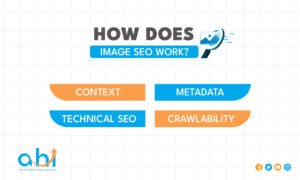
How Does Image SEO Work?
Image SEO works by providing contextual and technical signals about your images such as descriptive alt text, meaningful file names, optimized file sizes, proper formats, and relevant structured data so search engines can index and rank images appropriately.
Key Components
- Context: Surrounding text, captions, and page relevance
- Metadata: Image alt text, title, and structured data
- Technical SEO: File size, format, responsiveness, and speed
- Crawlability: Image sitemap and consistent URLs
Best Practices for Image SEO
Here’s a practical checklist based on actionable, field-tested recommendations:
1. Optimize Image File Names for SEO
What to do:
- Use descriptive, concise file names using hyphens (not underscores)
- Include relevant keywords naturally
- Avoid generic system names like IMG_12345.jpg
Example:
female-run-business-team-meeting.jpg
vs
IMG_7892.jpg
From hands-on auditing experience: correctly named images help crawlers associate visuals with page context, which enhances visibility in image search results.
2. Write Effective Image Alt Text
Image alt text SEO is a concise description of an image that helps search engines understand visual content and improves accessibility for users with screen readers. It should describe what’s in the image and include relevant keywords naturally.
How to write alt text:
- Describe the image accurately
- Keep it short (roughly 80–140 characters)
- Include target keywords where relevant without stuffing
Example:
alt=”handcrafted ceramic mugs on kitchen table”
Adding thoughtful alt text boosts both discoverability and accessibility, a double win.
3. Choose the Right Image Format
- Use WebP or AVIF for web delivery (smaller files, high quality)
- Use JPEG for photos and PNG/SVG for graphics or icons
- Avoid outdated or large formats when possible
Choosing the right format can cut load times significantly without noticeable quality loss essential for both UX and SEO.
4. Compress Images to Improve Load Speed
Large images slow down pages, hurting ranking and engagement. Compress images using tools (e.g., Squoosh, TinyPNG) to balance quality and performance.
Pro tip: From working with enterprise sites, aim for images to be under 100–200 KB whenever possible without visible quality loss.
5. Use Responsive Images
Use <picture> or srcset to serve different image sizes for different screens. This improves mobile performance and Core Web Vitals, both ranking factors.
6. Include Image Sitemaps
Sitemaps help search engines discover your images, especially if images are dynamically generated or served through JavaScript.
7. Add Structured Data (Schema)
Use ImageObject schema for detailed descriptions, licensing info, and thumbnails. This helps search engines understand image context and improves rich result opportunities.
8. Maintain Consistent Image URLs
Google now recommends using the same URL for the same image across your site to reduce crawl waste and preserve crawl budget.
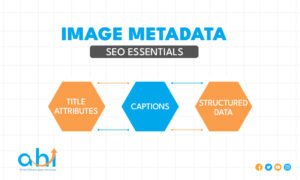
Image Metadata SEO Essentials
Beyond alt text and file names, metadata includes title attributes, captions, and structured tags.
- Title Attributes: Optional tooltip text that can aid context
- Captions: Readable descriptions near images for users
- Structured Data: Rich metadata for enhanced search features
From technical audits, adding structured metadata increases visibility in rich image results significantly.
Tools for Image SEO
Here are proven tools I’ve used in real workflows:
| Tool | Primary Use |
| Google Search Console | Track image indexing & performance |
| Squoosh / TinyPNG | Image compression tools |
| Lighthouse / PageSpeed Insights | Performance analysis |
| CMS SEO Plugins (Yoast, AIOSEO) | Automated alt text & sitemap generation |
| Image CDN (Cloudflare, Imgix) | Responsive, optimized delivery |
These tools help automate parts of image optimization critical when managing large sites.
How Does Image Compression Affect SEO?
Image compression reduces file size, improving page load speed, which is a ranking factor. Too much compression can degrade quality and hurt user engagement, so aim for balanced quality and performance using tools like Squoosh or WebP formats.
Poorly compressed images can add hundreds of kilobytes per page, slowing down load times and hurting rankings. Proper compression boosts UX metrics like First Contentful Paint (FCP) and Largest Contentful Paint (LCP), which Google uses to evaluate page experience.
Checklist: Quick Wins for Image SEO
✔ Descriptive image file names
✔ Alt text for every image
✔ Compressed, optimized formats (WebP/AVIF)
✔ Responsive images (srcset)
✔ Include images in sitemap
✔ Structured data (where applicable)
✔ Consistent URLs across pages
✔ Relevant captions & surrounding text
Use this checklist on every major page or content launch.
FAQs
What is image optimization in SEO?
Image optimization in SEO means making your website’s images understandable and fast-loading for search engines and users, using alt text, descriptive filenames, proper formats, and compression.
Does image alt text help SEO?
Yes. Image alt text provides search engines context about the image’s content and improves accessibility, which indirectly supports SEO.
How do I optimize images for SEO?
To optimize images, use descriptive filenames, add alt text, compress file sizes, use appropriate formats (WebP/AVIF), and include images in your sitemap.
What size should images be for SEO?
There’s no single number but aim for under 200 KB where possible without compromising visible quality. Balanced compression improves load speed and ranking.
Can images rank in Google Search?
Yes. Properly optimized images can rank in Google Image Search and drive organic traffic directly.
Conclusion
Image SEO is a high-leverage, often underutilized strategy that extends traditional SEO into visual discovery. When done right, it boosts:
- Organic search visibility (including image search)
- Page performance and UX
- Accessibility for users with disabilities
- Rich results and click-through potential
Whether you’re a beginner marketer or a seasoned SEO pro, mastering image SEO best practices from file names and alt text to compression and metadata is essential to a complete SEO strategy.
Expert Tip: Treat images like on-page content: descriptive, context-rich, and user-first. Prioritize quality over quantity, a few well-optimized images outrank many poorly optimized ones.
Take Your Image SEO to the Next Level
Ready to boost your website’s traffic with optimized visuals? Start implementing these image SEO best practices today and watch your search visibility and user engagement soar!
If you need help optimizing your images or a detailed audit of your site’s visual content, get in touch with us now for a professional consultation.